

Wear your faith. Share your story.
Every believer has a testimony - a story of how God has moved in their life. These stories are exponentially powerful, and plant seeds of faith for those who hear it.
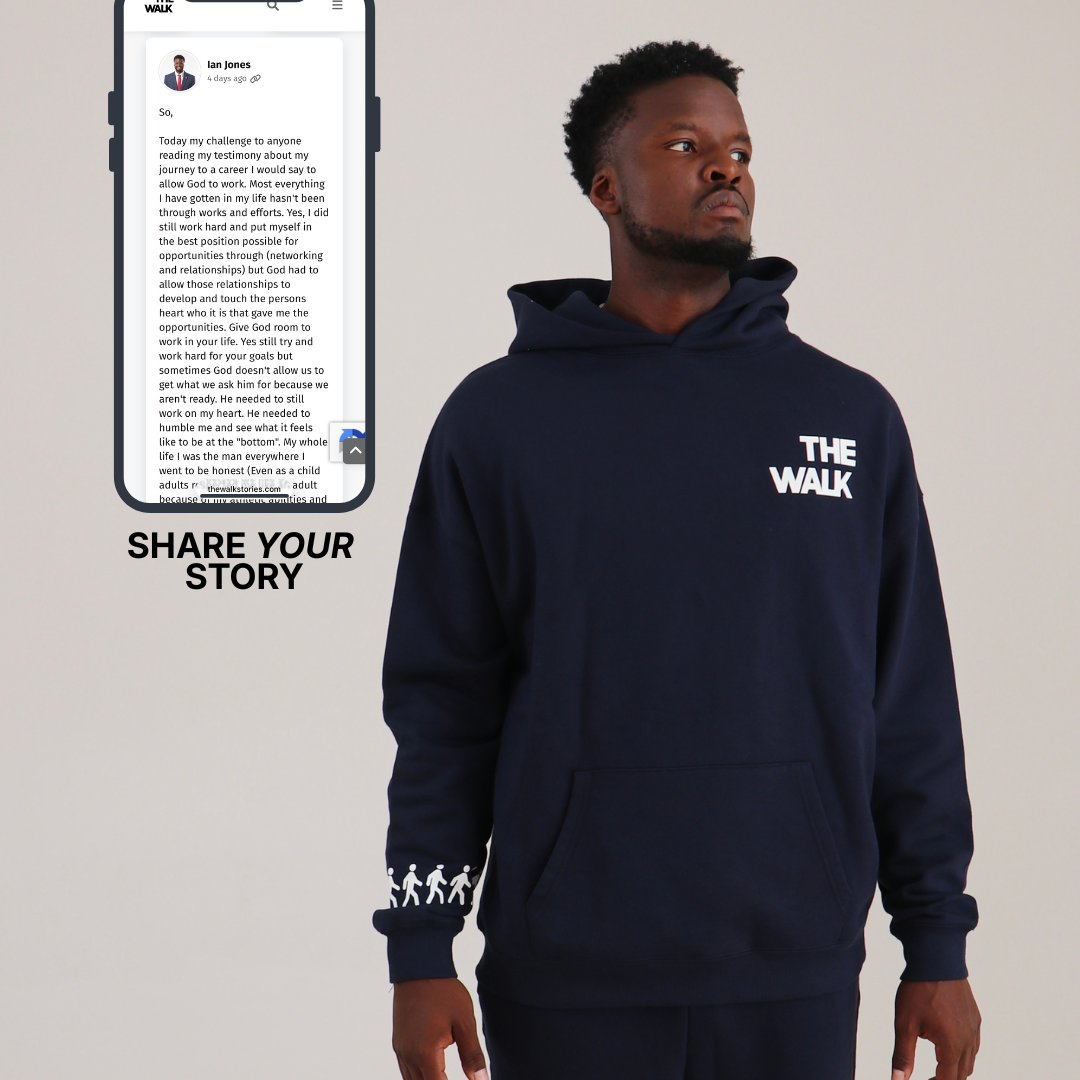
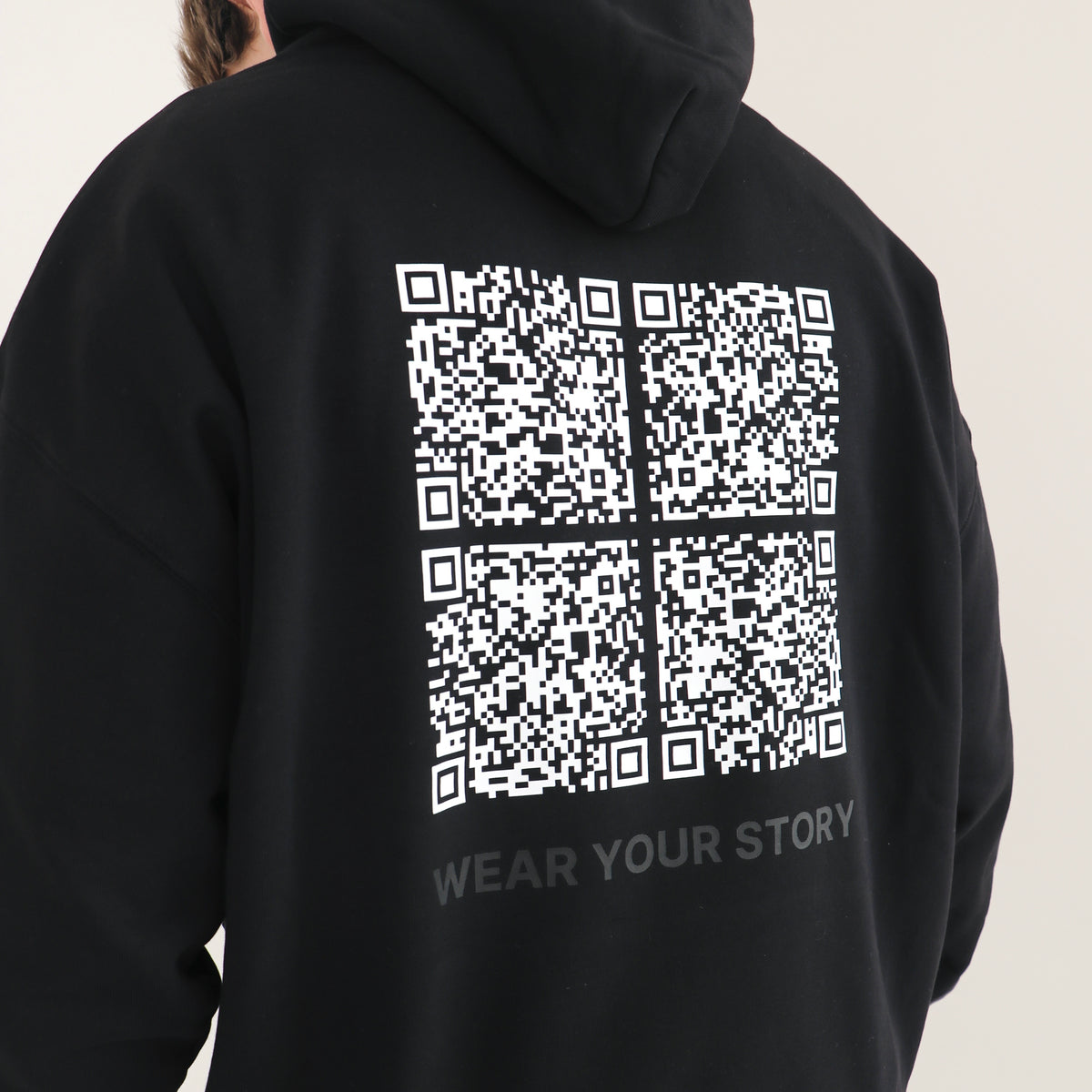
The Walk has created something that is one of a kind, something that no one has done before: Clothing with a personalized QR code on it that links directly to your story.

How It Works
- Order from "The Testimony Collection". Upon purchase, a dynamic QR code is created that belongs ONLY to you. That QR code is pressed to your product.
- After you order from the testimony collection, an email will be sent to you with details on how to share your testimony so that we can link it to your product (the same instructions that are listed below).
Testimony Sharing Instructions:
- Share your testimony. Go to thewalkstories.com and share some testimony. This could be a note about what God has done in your life, how you came to faith, how Jesus transformed you or how God showed up when you needed Him most. Whatever you want people to read, write about that.
- They scan and read. When someone scans your code, they read your story on their phone.
_______________________________________________
Don't know what to write for your testimony just yet? Don't worry, you can order before sharing your story. Because your QR code is dynamic, we don't need you to share testimony right away. We can redirect your QR code after purchase, at any point, because the code belongs only to YOU!














Why Your Story Matters
Your testimony is one of the most powerful tools you have as a believer.
It's not about having all of the answers. It's simply the truth of what God has done in your life.
A testimony can include:
- The moment you first encountered Jesus and what led you there
- How your life looks different now
- Specific moments when God answered prayer, provided, or moved in ways only He could
The beauty of testimony is its simplicity. It doesn’t need to be perfect. You're declaring what's true: God is real, and this is what He's done for you.
Not sure where to start? Get some inspiration from others—check out the testimony feed, where all of the testimonies from our community live, at the button below.
Your story makes a difference.
Revelation 12:11 (AMP) says "and they overcame and conquered him [the enemy] because of the blood of the Lamb and because of the word of their testimony, for they did not love their life and renounce their faith even when faced with death".
Something powerful happens when you decide to share what God has done in your life.
Lives are changed. Seeds are planted. Hope comes alive.
The Testimony Collection FAQ
How do I share my testimony?
Three simple steps:
- Create your account at thewalkstories.com
- Write your testimony (use our prompts if you need help)
- Publish it to your profile and our community feed
Once it's live, your QR code will be redirected to your post. Anyone who scans it will read your story.
You can edit or update your story anytime. As God continues to move in your life, update your story to reflect it.
These instructions will also be emailed to you upon purchase.
How does my story link to my personal product?
We use dynamic QR codes. Each code is unique to your product and links directly to your testimony post on thewalkstories.com.
Your code is redirectable. Before sharing your post, your QR code will link to this landing page — introducing your peers to the testimony feed. Once your post is shared, we will redirect your code to your personal story.
What if I've never written a testimony before?
Most people haven't, that’s okay! In fact, the testimony collection is the a great place to start.
Once you purchase a testimony collection product, try utilizing some of these prompts for inspiration:
- What sparked your pursuit of faith?
- How does your life look different since following Christ?
- When has God shown up in unmistakable ways?
You don't need to be a writer. You just need to be honest. Any story that shares Truth and gives the glory to God is a good one.
Not ready to share your own story yet?
That's completely okay. We will leave your custom QR code pointing to the testimony feed landing page - a continuously updated collection of stories from believers around the world.
This is perfect if:
- You're still processing your own story
- You want to expose people to a variety of testimonies
- You're early in your faith and want to point to the broader community
You can always switch to your personal testimony later. The QR code is dynamic - we can link it to your personal testimony, the community feed, or update it as your story evolves.
Have additional questions? Visit our FAQ page to learn more.